|
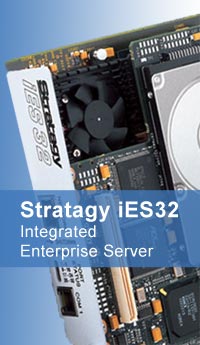
Stratagy
iES32
(Integrated Enterprise Server)
The Stratagy iES32 provides most of the
same features and functions as the Stratagy Enterprise Server, including many
advanced and optional applications. Stratagy iES32 integrates voice, fax, and
e-mail message management feature: on a compact circuit card that installs
exclusively into the Toshiba Strata CTX business telephone system. Stratagy
iES32 supports four to 32 ports. These capabilities enable Stratagy iES32 to
deliver enterprise level voice processing solutions with plug-and-play
Simplicity.
Stratagy CTX Soft keys
One of the most popular features of the
Stratagy iES32 system, Strata CTX soft key control lets you efficiently and easily
navigate mailbox menus by viewing them at a glance. Your Strata CTX digital
telephone Liquid Crystal Display (LCD) visually shows Stratagy mailbox menu
options. You can access each menu option by simply pressing the corresponding
soft key. Once you've selected an option, the LCD displays the next set of
feature-usage options. The LCD feature display helps employees get the most out
of sophisticated system features and minimize training time.
Unified Messaging
With Unified Messaging, you can
conveniently retrieve and send voice, fax, and e-mail messages from within your
e-mail client inbox screen. You can even retrieve Stratagy voice and fax
messages via the Internet from any e-mail service that supports SMTP and POP3
protocols. Unified Messaging gives you the how to consolidate all types of
communications and manage more messages in less time. Play voice messages
through your PC speakers or through your handset for privacy. Display and print a
fax on your screen. Forward voice or fax messages as WAV or TIF files to any
e-mail address. And much more. You can also easily manage voice, fax and e-mail
messages via telephone - a must for employees without computer access.
Call Routing
When a caller enters the specific
extension or department they want, the call is automatically routed. Callers can
easily find a person's extension by using the company directory feature. If an
extension is unanswered or busy, the call can automatically be routed to another
extension or an operator. If all called extensions are unavailable, callers can
hold, hang up, or leave a message. The system also detects fax tones and
transfers those calls to a fax machine. Automated routing enables your staff to
focus on tasks other than directing calls.
Fax Server
The Fax Server feature stores
inbound faxes in your mailbox and allows them to be printed, forwarded, or
displayed on your PC screen. As a result, you'll open a world of unprecedented
communication opportunities. Fax On Demand and Fax Back enable users to receive
brochures, price lists or other printed information from the Stratagy system.
Ideal for traveling employees, Fax Mail lets the user transmit faxes left in
their mailbox to a portable computer fax device or hotel fax machine for
printing. Fax Broadcast lets you instantly transmit any fax document to multiple
recipients. You can even add voice comments to a fax.
Automated Attendant
This feature answers incoming calls, enabling employees to focus on their
main job responsibilities Automated Attendant streamlines operational efficiency
by allowing callers to route their own calls and leave messages without
receptionist assistance The caller simply enters the mailbox number of the
person they are calling and the call s handled based on that person s specific
mailbox configurations - from dialing another extension to screening the call to
executing an IVR application. These capabilities make your telephone system work
harder for you
Telephone Answering
When an employee is unavailable or busy, Stratagy can take messages. Each
employee can record up to seven personal greetings for his/her mailbox, with
specific greetings scheduled to play at various times of the day. This ensures
that callers hear accurate information 24 hours a day. 7 days a week. When
extensions are busy or do not answer Stratagy automatically plays the
appropriate greeting. The caller is offered the choice of leaving a message,
calling another extension, holding o being transferred to an operator for
assistance
Voice Messaging
Stratagy iES32 users can manage voice messages with ease. You have total
control over your messaging by simply pressing specific telephone keys. The Stratagy system saves time by letting you replay, skip forward or backward
within a message, delete, pause, control playback, speed and volume, play messages
in order of priority and much more You can also share information by forwarding
a message to other Stratagy users and attach your own voice comments. You can
even customize they way you're notified of messages, from receiving a pager
alert to indicating urgent status Plus, you will maximize efficiency by creating
folders for different types of messages.
Call Recording
During a call, you can record the conversation into your voice mailbox using
the Toshiba Strata CTX business telephone system This feature is ideal for
keeping a record of important phone calls for future reference. and for
capturing detailed information you may need to assure accuracy in
correspondence, reports, etc. Starting and stopping a recording is as easy as
pressing one key. Convenient pause and restart features enable you to review
details of the conversation at your own pace. |